
There is a closet in most offices. Inside it: three laptops from employees who left in 2021, a desktop tower nobody wants to be responsible for, a stack of external drives, and a couple of servers that were pulled during the last upgrade.
Everyone knows the equipment should go. Nobody wants to be the person who authorized it walking out the door.
That hesitation is well founded. Every one of those devices likely holds recoverable customer records, employee data, financial information, or credentials. The question is not whether to get rid of them. It is which disposal method actually removes the data, and which ones only appear to.
“Deleted” Does Not Mean Gone
This is the misunderstanding that creates most of the risk.
When you delete a file, the operating system does not erase the data. It removes the pointer that tells the system where to find it, then marks that space as available for reuse. The underlying data stays on the drive until something happens to overwrite it, which may be next week or may be never.
Emptying the recycle bin does not change this. Neither does a quick format, which rewrites the file table and leaves the actual contents untouched. Free recovery software available to anyone with an internet connection can pull much of it back.
Reselling, donating, or recycling a device without addressing this is how data ends up in the hands of strangers. Studies of secondhand drives purchased on resale marketplaces have repeatedly turned up recoverable personal and corporate information from previous owners.
The Three Real Options
Federal guidance on media sanitization, specifically NIST Special Publication 800-88, describes three levels of sanitization: Clear, Purge, and Destroy. Here is how they translate into practice.
| Method | How It Works | Best For | Limitations |
|---|---|---|---|
| Overwriting / wiping | Software writes new data across the drive, sometimes in multiple passes | Devices that will be reused or redeployed internally | Time-consuming, requires verification, unreliable on SSDs, fails silently if the drive has bad sectors or hidden areas |
| Degaussing | A strong magnetic field disrupts the magnetic domains that store the data | Traditional magnetic hard drives and backup tapes | Does not work on SSDs or flash media at all; renders the drive permanently unusable; requires calibrated equipment and verification |
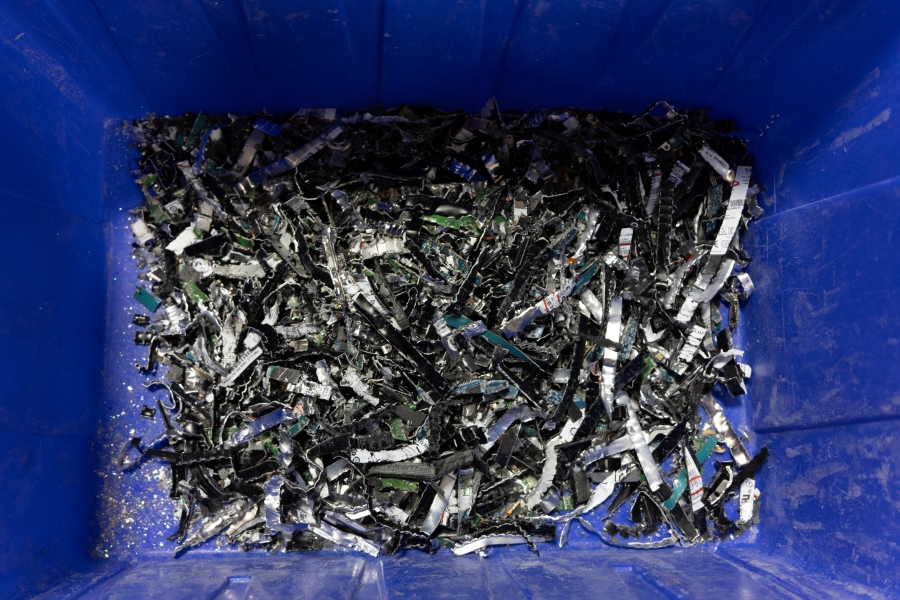
| Physical destruction | The drive is mechanically shredded into fragments | Any device being retired, especially anything holding regulated data | The device cannot be reused, which is usually the point |
For equipment leaving your control permanently, physical destruction is the most defensible choice. It does not depend on software executing correctly, it does not depend on the drive reporting honestly, and the result is visually verifiable. A shredded drive is obviously destroyed. A wiped drive looks exactly like a drive that was never wiped at all.
The SSD Problem Nobody Mentions
Solid state drives changed the math, and a lot of IT disposal policies have not caught up.
SSDs use wear leveling, which spreads writes across memory cells to extend the drive’s life. They also reserve over-provisioned space the operating system cannot directly address. Together, these mean an overwrite command has no guaranteed way to reach every cell holding your data. Software may report a successful wipe while data remains in blocks the wipe never touched.
Degaussing is worse here. It does nothing at all to flash memory, because there are no magnetic domains to disrupt. A degaussed SSD is an SSD with all of its data still on it.
Physical destruction is the reliable answer for solid state media, and it requires equipment built for the job. Because SSD memory chips are small and each chip can hold data independently, the fragments have to be correspondingly small. Equipment sized for spinning platter drives may not reduce an SSD adequately.
The Devices Businesses Forget
Hard drives get attention. These usually do not:
- Copiers and multifunction printers. Most have internal drives that store images of everything scanned, copied, and faxed. A leased copier going back to the vendor takes years of documents with it.
- Backup tapes. Often the most complete data on your premises, sitting in a box in a storage room.
- Smartphones and tablets. Company devices with saved credentials, email archives, and contact data.
- USB drives and memory cards. Small, plentiful, and easy to lose track of.
- Network equipment. Routers, firewalls, and appliances store configurations and credentials.
- Point-of-sale terminals. Depending on the setup, these may retain transaction data.
- Old servers and RAID arrays. Individual drives pulled from an array still hold recoverable fragments.
Media destruction covers this broader category, and e-waste recycling handles responsible disposal of the hardware itself once the data is gone.
What Compliance Actually Requires
Destroying the data is half of it. Proving you destroyed it is the other half.
The FACTA Disposal Rule requires reasonable measures to protect against unauthorized access to consumer information during disposal, and it applies to electronic media, not just paper. HIPAA carries parallel obligations for protected health information stored electronically. The Gramm-Leach-Bliley Safeguards Rule applies to financial institutions and, in its expanded form, to a wider range of businesses handling customer financial data than many realize.
Pennsylvania, New Jersey, and Delaware each have breach notification statutes requiring businesses to notify affected individuals when personal information is exposed. A retired drive that resurfaces with recoverable data can trigger those obligations along with the cost, disruption, and reputational damage that follow.
When an auditor or regulator asks how a specific device was handled, “we wiped it before recycling” is a claim. A Certificate of Destruction listing the serial number of each drive destroyed is documentation. That difference matters enormously when something goes wrong.
How TITAN Handles Electronic Media Destruction
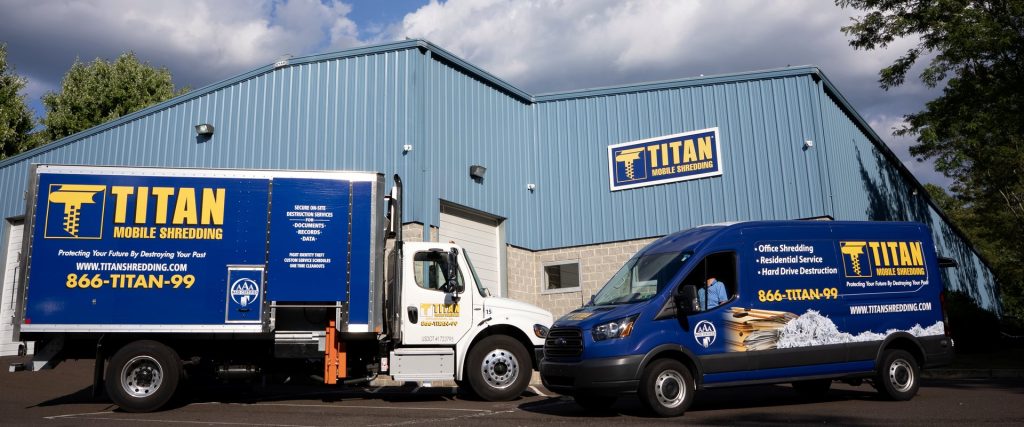
TITAN Mobile Shredding has been NAID AAA Certified since 2007. That certification involves scheduled and unannounced audits of operational security, employee screening, and destruction processes, and it includes specific standards for electronic media rather than paper alone.
Hard drive destruction is available either on-site at your location or at our secure facility. On-site service means drives never leave your property intact, and your team can witness the destruction directly. Every service is documented with an electronic Certificate of Destruction.
For IT departments and managed service providers coordinating equipment refreshes across multiple client sites, our technology and IT industry solutions are built around that workflow. And because most decommissioning projects generate both paper and hardware, one-time purge shredding can be scheduled alongside the same visit.
Frequently Asked Questions
Does formatting a hard drive erase the data? No. A standard format rewrites the drive’s file index and marks space as available. The original data remains and can often be recovered with widely available software.
Is degaussing enough for compliance? Degaussing can be effective on magnetic hard drives and tapes when performed with properly calibrated equipment and verified afterward. It does nothing to SSDs or flash media. For devices leaving your control permanently, physical destruction is easier to verify and easier to document.
Can I just remove the hard drive and keep it in a drawer? That relocates the risk rather than eliminating it. A drive in a drawer is still a drive holding recoverable data, and drawers get cleaned out by people who do not know what they are looking at.
Do I need a Certificate of Destruction for hard drives? It is strongly recommended. Serialized documentation is your evidence that a specific device was destroyed on a specific date, which is precisely what an audit or investigation will ask for.
What happens to the material after destruction? Destroyed electronic media is processed for responsible recycling. Since 2005, TITAN has recycled more than 55 million pounds of material.
Clear Out the Closet
If retired equipment is accumulating because nobody wants to make the call, we can make the call easy. On-site or at our facility, documented, certified, and handled by a NAID AAA Certified provider serving Eastern Pennsylvania, New Jersey, and Delaware since 2005.
Call (866) 848-2699 or request a quote to schedule hard drive and electronic media destruction.